
Inside the app
One visit, screen by screen.
Seven screens from the live demo, in the order a shop visit moves through them: the record, the work, the release, the invoice and the reports.

-
Work order 58012
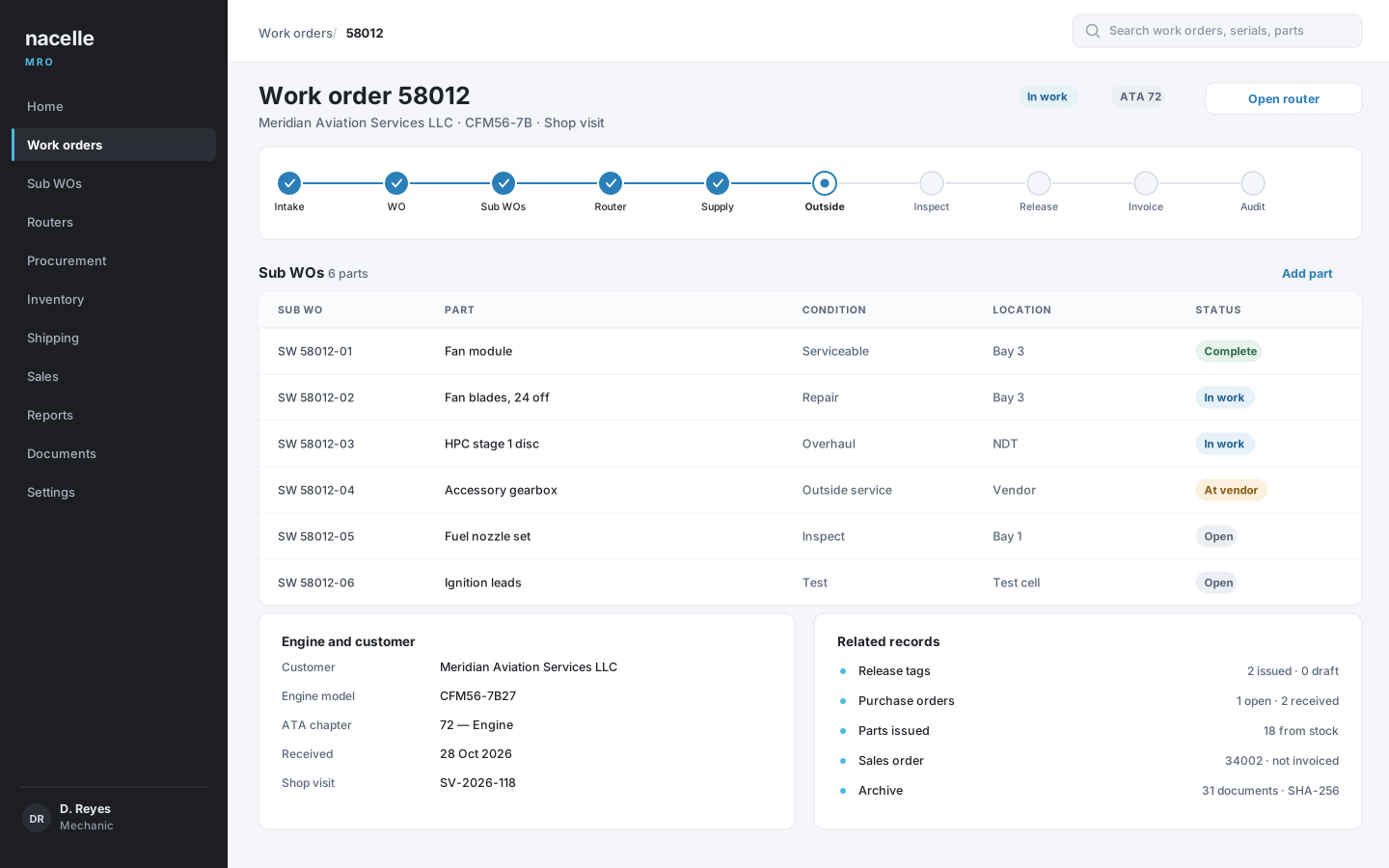
The record the visit lives on. Opened at intake with the customer, engine and dates, and still the same record when the parts ship. -
Router with sign-offs
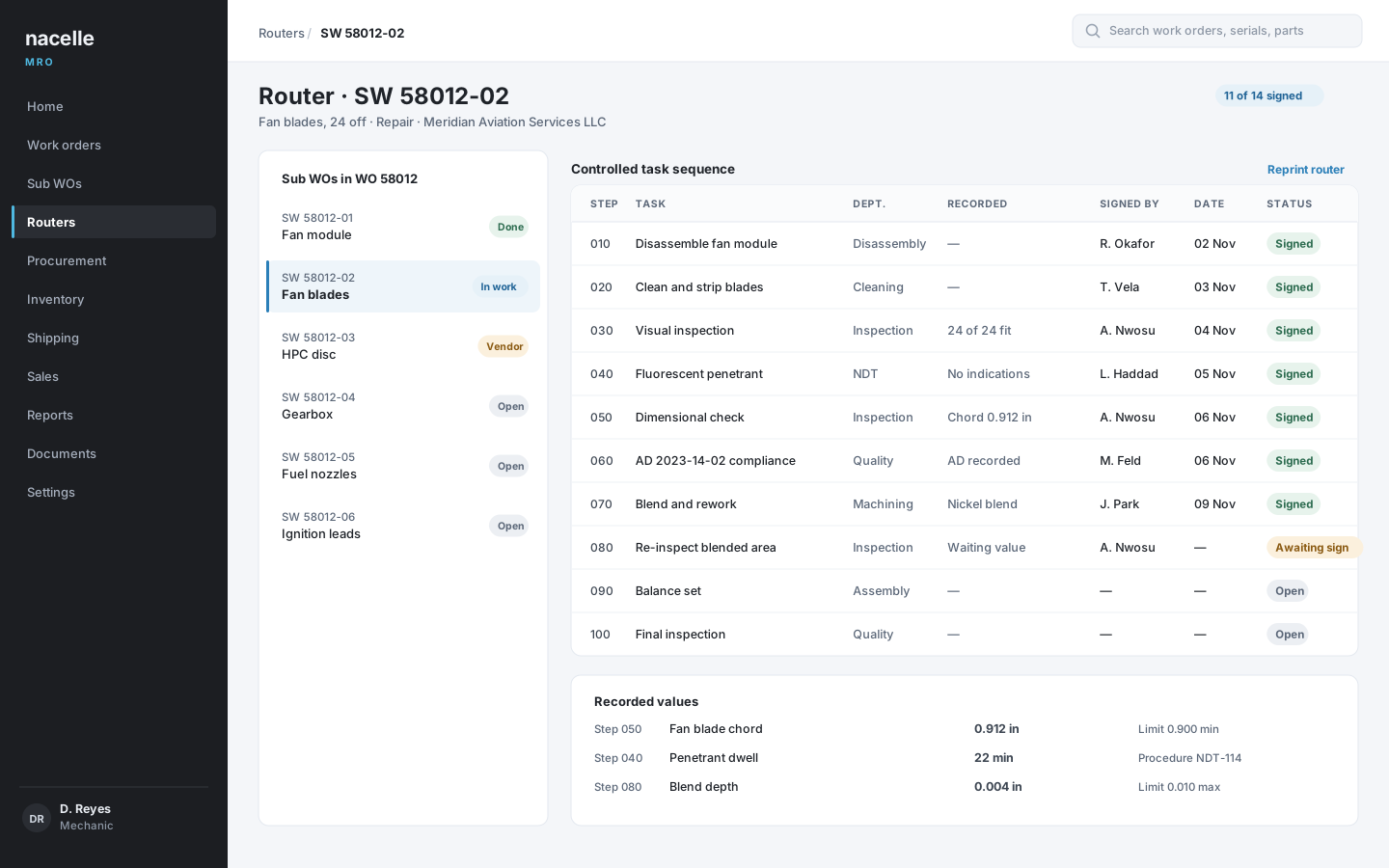
The sequence the shop follows. Department, procedure, recorded value and signature against each task, with completed work locked. -
Home screen for a mechanic
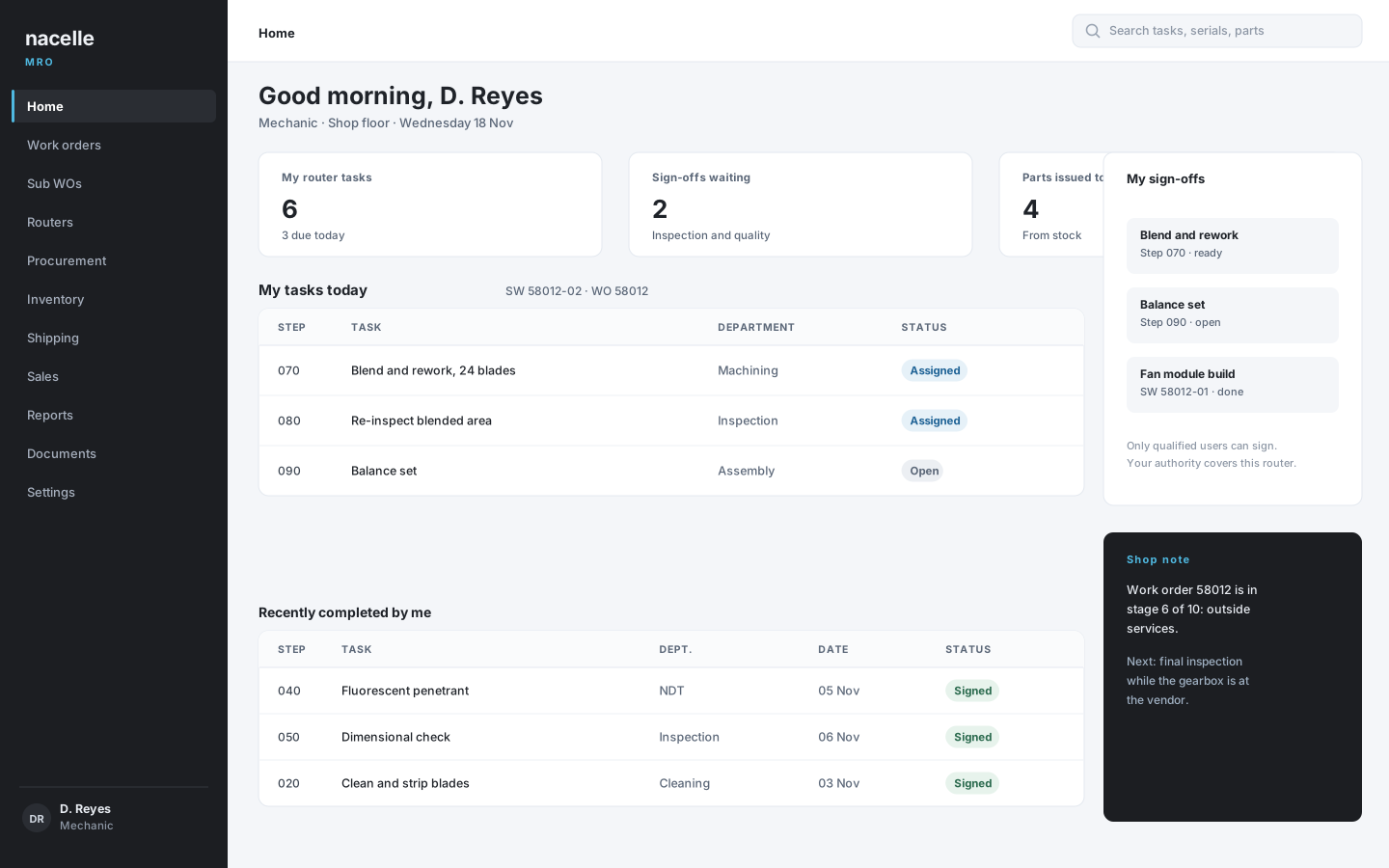
The same tasks, from the bench. What is assigned to this user today, and which sign-offs are waiting on them. -
Release tag register
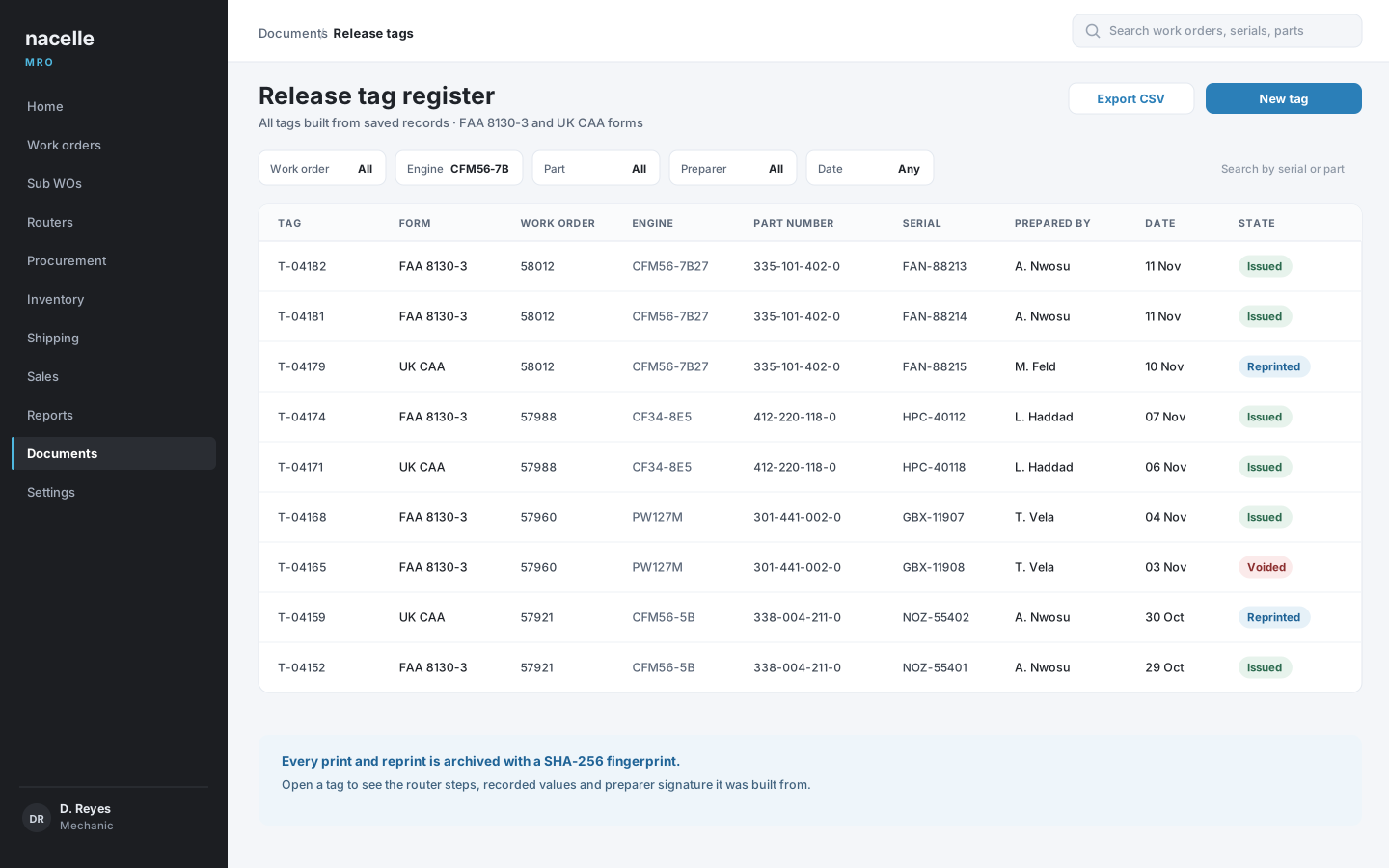
The proof at the end of the trail. Every tag searchable by work order, engine, part, preparer and date, with the archived document behind it. -
Sales order 34002
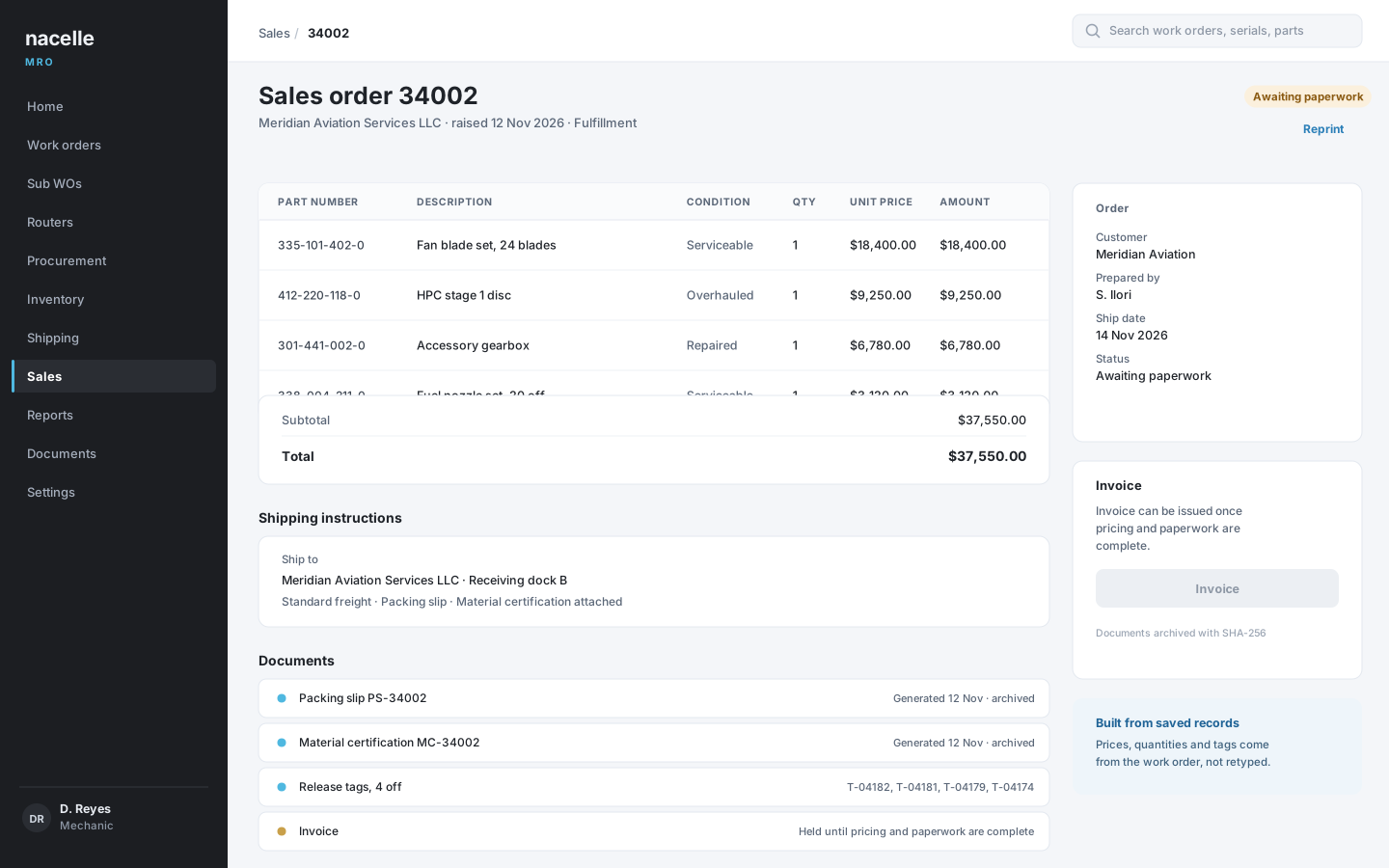
Paperwork that matches the parts. Pricing, shipping instructions, packing slip and material certification on one record. -
Reports catalog
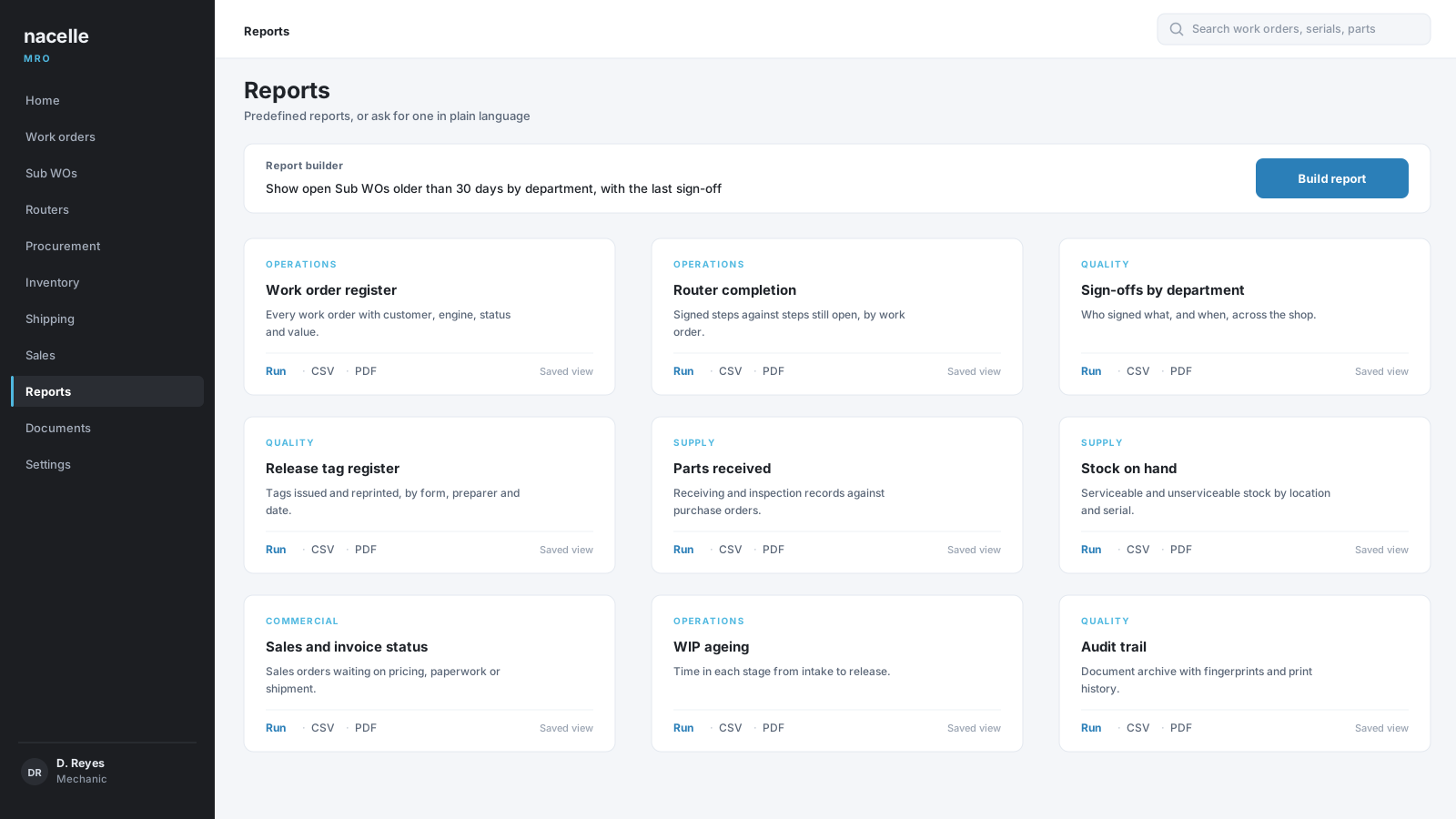
The visit, queryable afterwards. Predefined reports or a plain-language request, exported as CSV or PDF. -
AI report builder
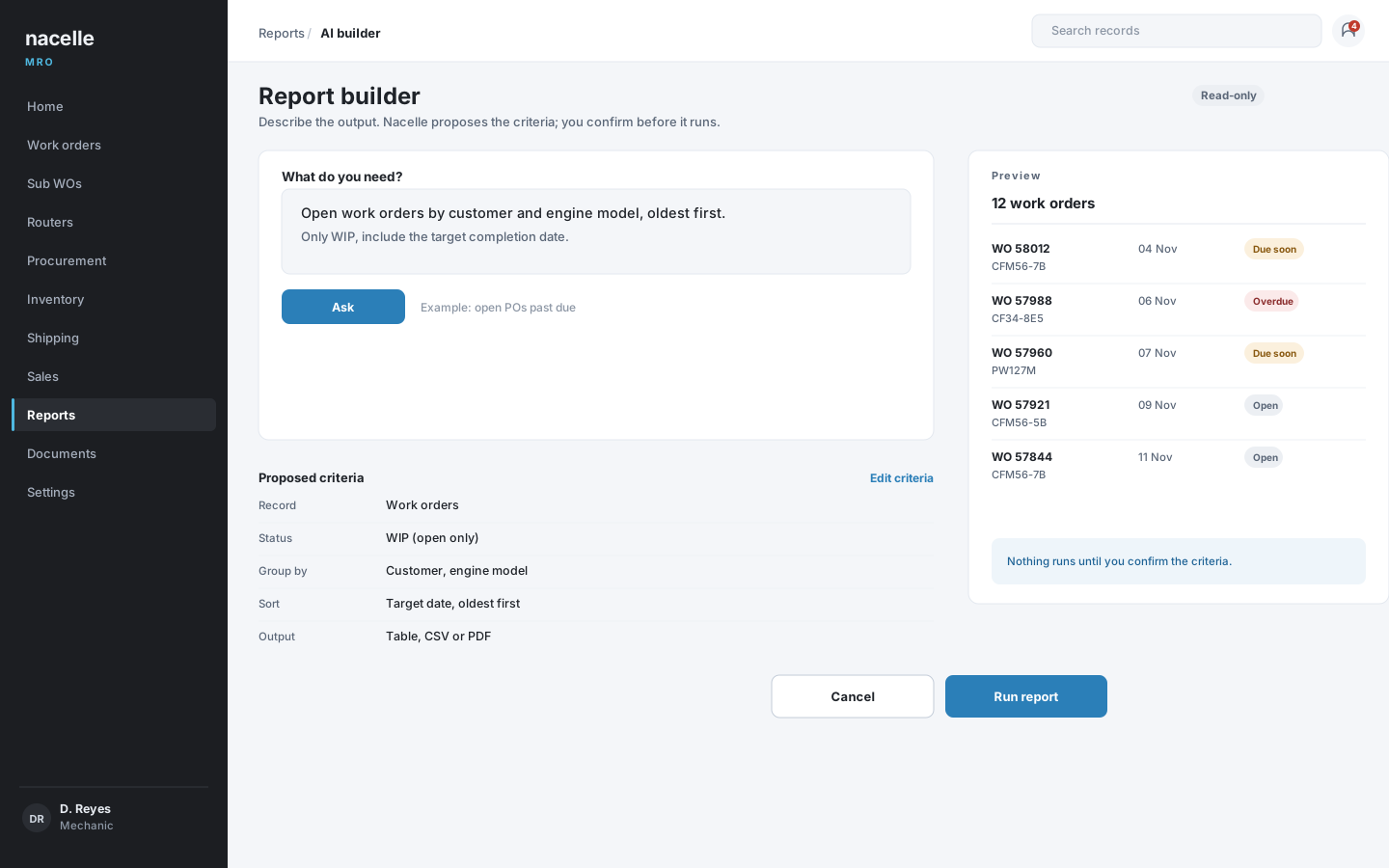
A report without hunting for the filter. The criteria are proposed, shown and confirmed before anything runs.
Screens from the live demo, with fictional data for Meridian Aviation Services LLC.
See a full engine visit, end to end.
Open the live demo, follow one work order from intake to invoice, and tell us which step matters most to your shop.