
Platform

The whole shop floor, connected.

Replace the handoffs between spreadsheets, inboxes and disconnected tools with one operational record.

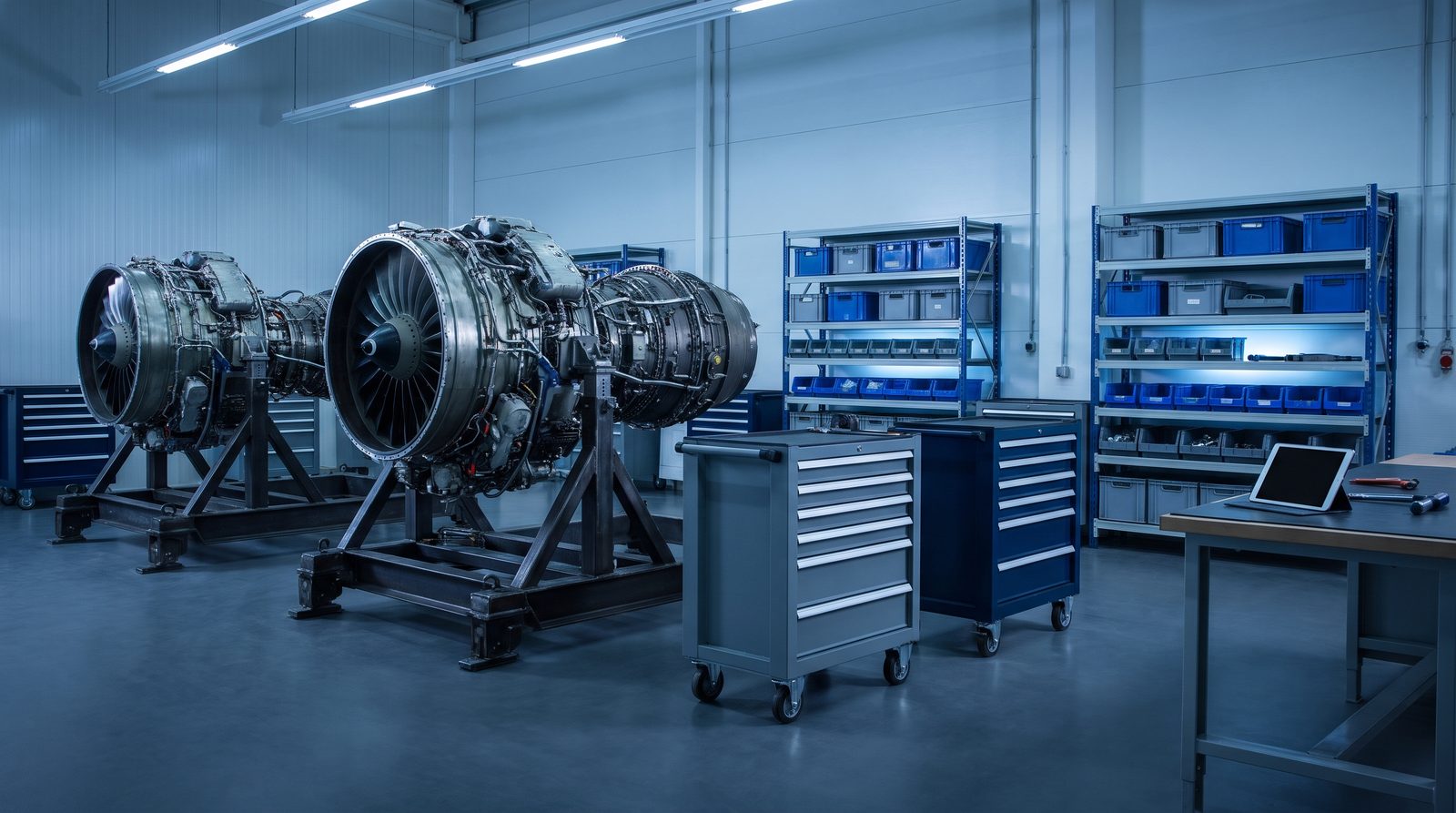
Engine and parts workbench on a connected shop floor with tool carts and a tablet

Work orders and Sub WOs

  • Engine repair, customer-parts repair and owner-parts repair work orders.
  • WIP, all, completed and cancelled views, with target completion dates and overdue visibility.
  • Work scope, attachments and a complete activity history.
  • Serialized Sub WOs for every part and serial number, with condition, trace engine, location and effectivity checks.
  • Split, scrap and transfer workflows; final condition, serviceable finalization and stock crediting.
See this screen

Routers and inspection

  • Router templates by engine model, with sequence, department, procedure, reference document and task type.
  • Start, end and sign-off with separate mechanic, inspector and NDT stamps.
  • Work date and inspection remarks against the task, plus dimensions and airworthiness-directive dispositions.
  • Completed-task locking and role-aware editing.
  • Print-ready router packets with QR-coded task records.
See this screen

Inventory and Part 360

  • On-hand stock by condition and location, with historical inventory and daily quantity and value snapshots.
  • Serial-number search across stock and records.
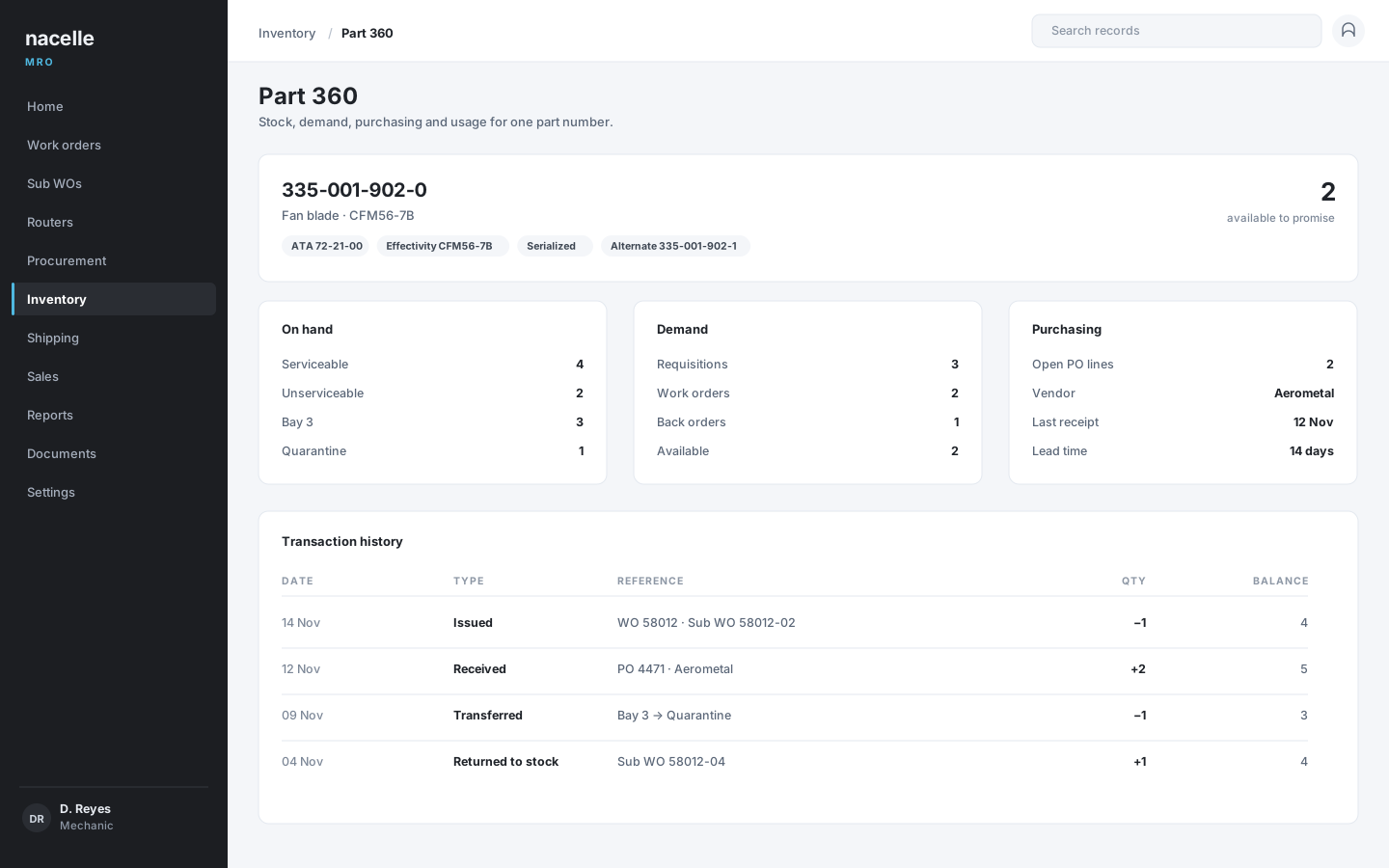
  • A Part 360 view joining stock, demand, purchasing and usage.
  • Available-to-promise quantities that account for requisitions, work orders and back orders.
  • Supersessions, alternates, effectivity, transaction history and parts credits.

Procurement and outside services

  • Requisitions, internal inventory requests and back orders.
  • Purchase orders and line-level purchasing, with one-click coverage of a back order.
  • Outside-service router tasks, repair orders and repair-order line items.
  • Pending outside services and cancelled purchase-order lines.
  • Vendor records, receiving and rejected-PO handling.

Sales, receiving and shipping

  • Sales orders, line pricing and shipment creation.
  • Return-to-customer, repair-order, sales-order and vendor-return shipping flows.
  • Receiving for repair orders, purchase orders and customer-supplied parts.
  • Receiving inspection records and printable inspection documents.
  • Packing slips, invoices and material certifications by trace engine serial.
See this screen

8130 and traceability

  • A register searchable by work order, engine, part, preparer and date.
  • Release-tag creation with prerequisite checks and per-user 8130 authority.
  • Reprints and links to the archived release document.
  • Serial genealogy connecting work orders, stock and documents.
  • Engine configuration by ATA hierarchy, installed part serials, quantities and LLP cycles remaining.
See this screen

Reports and documents

  • A report catalog spanning work orders, sales, procurement, requisitions, inventory, fulfillment and administration.
  • Filters for status, customer, part, serial, engine model and date.
  • On-screen results with CSV export and PDF output.
  • Printing for work orders, build logs, routers, purchase orders, 8130s, packing slips, invoices and material certifications.
  • Printed documents carry the tenant's logo, address, phone and footer, not the Nacelle brand.
See this screen

Master data and catalog quality

  • ATA catalogs, parts, customers, vendors, sellers, departments, locations, shipping methods and router templates.
  • A starter catalog of 3,671 ATA entries and 10,579 part numbers across 12 engine models.
  • CSV imports staged with preview, commit and rollback.
  • Validation for duplicate ATA codes, malformed part numbers and missing costs.
  • Suggested cost completion from purchase-order history.
Part 360 for fan blade 335-001-902-0 showing serviceable and unserviceable stock by location, demand, open purchase lines and transaction history.
Part 360 for one part number. Serviceable and unserviceable stock by location, demand from requisitions and back orders, open purchase lines and the transaction history in one view.

Next: the ten-stage workflow the screens search across records AI inside the workflow

See a full engine visit, end to end.

Open the live demo, follow one work order from intake to invoice, and tell us which step matters most to your shop.