
AI
AI that works inside the workflow.
Not a chatbot bolted onto the side. Nacelle's AI helps your team find answers and build reports, while admins keep the guardrails.

AI report builder
Describe the output you need in plain language. Nacelle proposes the report criteria, and you review and confirm them before anything runs.
“Open work orders by customer and engine model, oldest first.”Criteria are shown before the run, never after.
Export the result as CSV or PDF, or keep it on screen.
See this screen in the walkthrough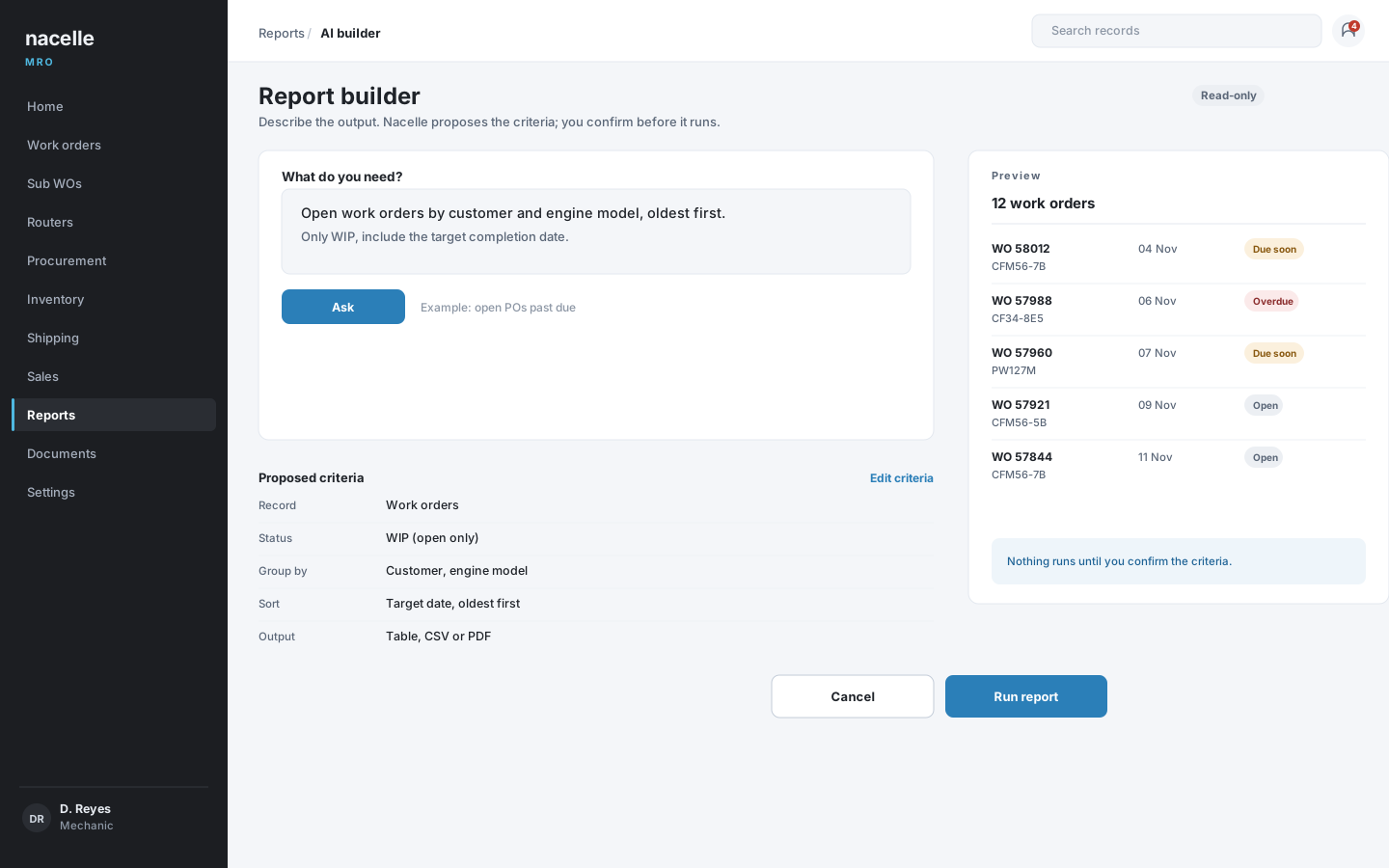
AI help assistant
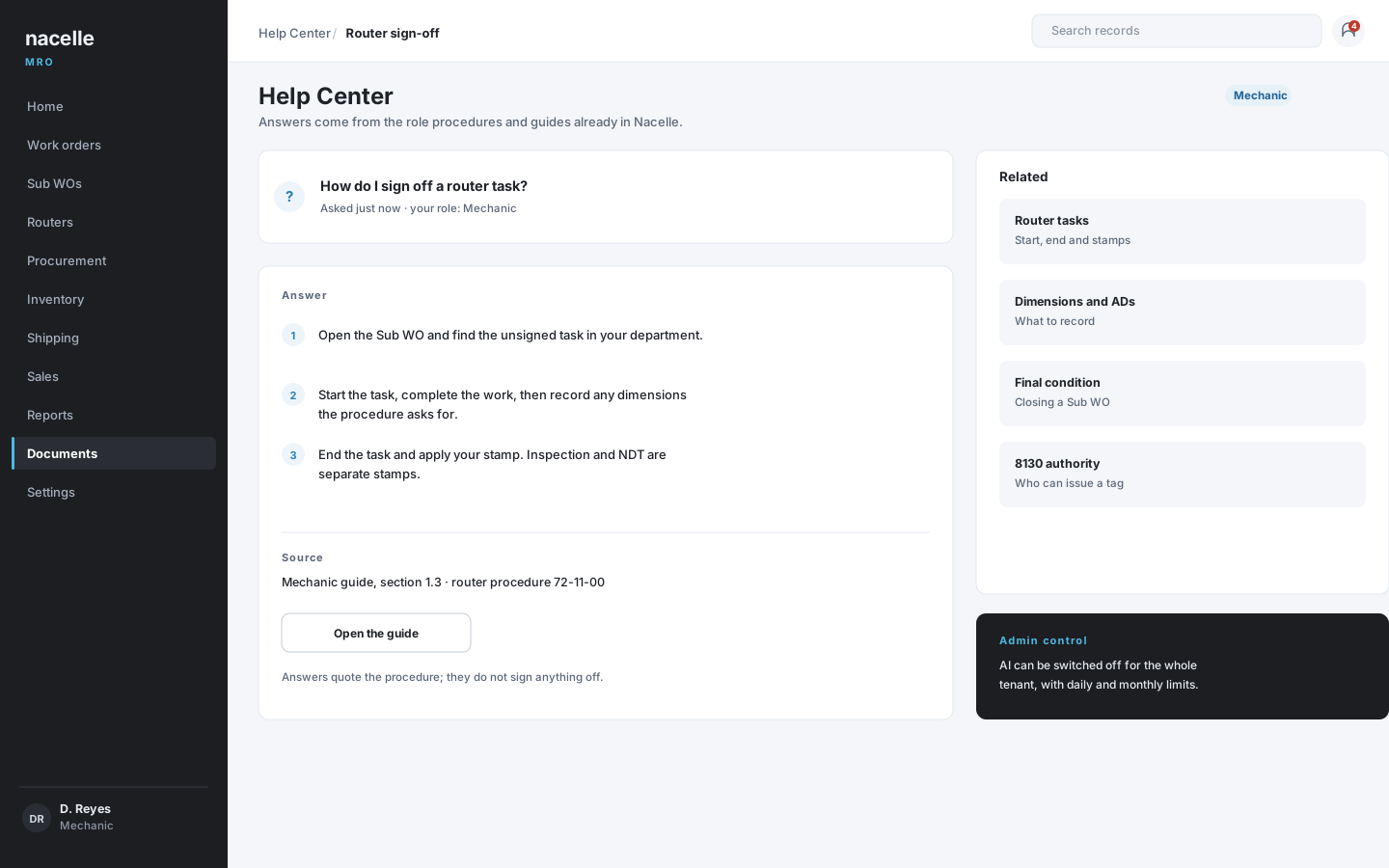
Ask how a task is done and get an answer drawn from the same role procedures and help guides already built into Nacelle.
Useful for onboarding, for the task you only do twice a year, and for a quick refresher at the bench. Answers quote the procedure; they do not sign anything off.
Guardrails
AI with a leash.
The controls sit where administrators already work, and the usage shows up in reporting.
- Report generation is read-only and needs confirmation before a run.
- Administrators can switch AI features on or off.
- Daily question limits and monthly spend caps keep usage predictable.
- An admin log records requests, tokens, model and cost.
- AI usage appears in reporting, not in a black box.
See a full engine visit, end to end.
Open the live demo, follow one work order from intake to invoice, and tell us which step matters most to your shop.